SCORM and Quiz Grade Rounding Causing False “Failed” Statuses in Moodle
A score of 7.955 displays as 8.0 in the gradebook but fails a ≥ 80% passing threshold — because Moodle's display rounding and its pass/fail comparison operate on different values.
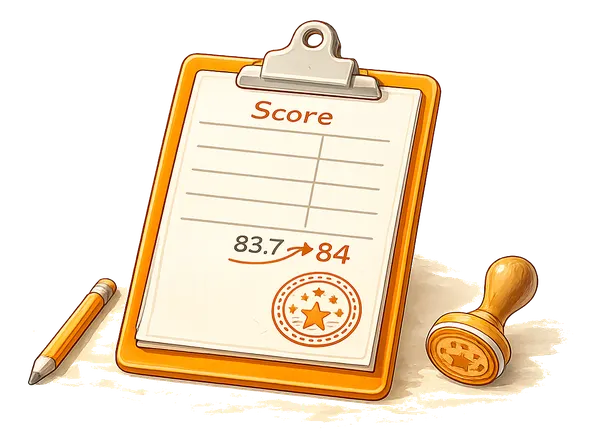
Users see a passing score in the gradebook but receive a "Failed" status that blocks completion or certificate generation. The cause is a mismatch between the decimal precision Moodle uses for display and the raw value it uses for the pass/fail comparison. This guide explains why it happens and how to fix it, with the most robust fix first and database diagnostics after.
A note on versions: the explanation and the gradebook-based fixes here apply to current and older Moodle alike. The SCORM database tables were restructured in Moodle 4.1, so this guide gives the modern table layout first and the pre-4.1 layout as a clearly-marked alternative. Plenty of production sites still run older Moodle versions, so both are worth documenting.
Why the scores diverge
Moodle stores grades with five decimal places of precision. A SCORM object that reports a score of 79.55 has exactly that value stored. The gradebook decimal setting, typically one or two places, only changes how the value is displayed. With one decimal place, 79.55 shows as 79.6; with no decimal places it shows as 80.
The problem arises when all three of these are true:
- The gradebook is configured to show 0 decimal places (the score appears as 80)
- The pass threshold is set to 80 (so 80.0 or higher is required)
- The actual stored value is 79.55
The pass/fail check uses the stored value, not the displayed one. 79.55 >= 80.0 is false, so the user fails, while the gradebook shows 80. The user and the administrator both see what looks like a passing score. This is confirmed in Moodle core: the pass check compares the stored five-decimal finalgrade against gradepass directly, and the decimal setting is documented as affecting display only, not calculations.
This affects SCORM activities, quiz grade boundaries, and any completion condition based on a grade threshold.
Fixing it
Three approaches, in order of preference. The first two are done entirely in the Moodle interface and work on every version.
1. Align the pass threshold with the display precision. If the gradebook shows no decimal places and users expect 80% to pass, set the pass grade to 79.5 instead of 80. Any value that rounds up to 80 in the display will then also pass the comparison. In the activity (SCORM or quiz) settings:
Activity settings > Grade > Grade to pass: 79.5This is the cleanest fix because it is per-activity, reversible, and needs no database access. Note that it does slightly lower the real pass criterion, so use it where the intent is "a displayed 80 should pass".
2. Increase gradebook decimal precision. If you show two decimal places, users and administrators see the real score (79.55) and understand why it fails. Set this under:
Site administration > Grades > Grade item settings > Overall decimal placesThis is a site-wide default (it can be overridden per grade item), so evaluate the impact on all gradebooks before changing it.
3. Fix the SCORM content. If the SCORM package is under your control, adjust the calculation to return integer or properly bounded scores. A SCORM that reports cmi.core.score.raw = 80 will always pass an 80% threshold cleanly.
Confirming it from the database
If you want to verify the discrepancy directly, the gradebook tables tell the whole story and are the same across versions. Check what the gradebook holds for the activity (replace the placeholder with the activity instance id):
SELECT gg.userid, gg.rawgrade, gg.finalgrade, gi.gradepass
FROM mdl_grade_grades gg
JOIN mdl_grade_items gi ON gi.id = gg.itemid
WHERE gi.itemtype = 'mod'
  AND gi.itemmodule = 'scorm'
  AND gi.iteminstance = ?
ORDER BY gg.userid;
A finalgrade of 79.55 paired with a gradepass of 80.0 confirms the issue: the gradebook displays 80 (rounded), but 79.55 >= 80.0 fails.
For a quiz, the pass grade is not stored on the quiz record. Like all activities, it lives on the activity’s grade item, so query it the same way:
SELECT gi.iteminstance AS quizid, gi.grademax, gi.gradepass
FROM mdl_grade_items gi
WHERE gi.itemmodule = 'quiz'
  AND gi.iteminstance = ?;
To set a quiz pass grade, use the activity’s Grade > Grade to pass field rather than editing the database; Moodle writes it to the grade item for you.
Checking the raw SCORM score
To see the exact score the SCORM package reported, the query depends on your Moodle version, because the SCORM tracking tables were restructured in Moodle 4.1.
Moodle 4.1 and later (tracking split across scorm_attempt, scorm_element, and scorm_scoes_value):
SELECT a.userid, e.element, v.value
FROM mdl_scorm_scoes_value v
JOIN mdl_scorm_element e ON e.id = v.elementid
JOIN mdl_scorm_attempt a ON a.id = v.attemptid
WHERE a.scormid = ?
  AND e.element IN ('cmi.core.score.raw', 'cmi.score.raw', 'cmi.score.scaled')
ORDER BY a.userid;
Moodle 4.0 and earlier (tracking held in a single scorm_scoes_track table):
SELECT userid, element, value
FROM mdl_scorm_scoes_track
WHERE scormid = ?
  AND element IN ('cmi.core.score.raw', 'cmi.score.raw', 'cmi.score.scaled')
ORDER BY userid;
The CMI element names are the same in both: cmi.core.score.raw for SCORM 1.2, cmi.score.raw and cmi.score.scaled for SCORM 2004.
Identifying affected users in bulk
To find users whose stored grade fails but whose rounded (displayed) grade would pass, query the gradebook directly. This works the same on all versions because it uses the grade tables, not the SCORM tables:
SELECT gg.userid, gg.finalgrade, gg.rawgrade, gi.gradepass
FROM mdl_grade_grades gg
JOIN mdl_grade_items gi ON gi.id = gg.itemid
WHERE gi.iteminstance = ?
  AND gi.itemmodule = 'scorm'
  AND gg.finalgrade < gi.gradepass
  AND ROUND(gg.finalgrade, 0) >= gi.gradepass;
This returns users whose stored grade fails but whose rounded grade would pass: each is potentially affected by the mismatch. The ROUND(..., 0) here matches a gradebook set to 0 decimal places; if your gradebook shows one decimal place, use ROUND(gg.finalgrade, 1) instead so the query mirrors what users actually see.
Solin specialises in Moodle and Totara SCORM, grading, and completion troubleshooting.
Contact us